A PREMIERE PRO PLUGIN BY PRANAY NICHANI
Transcript Batch Export
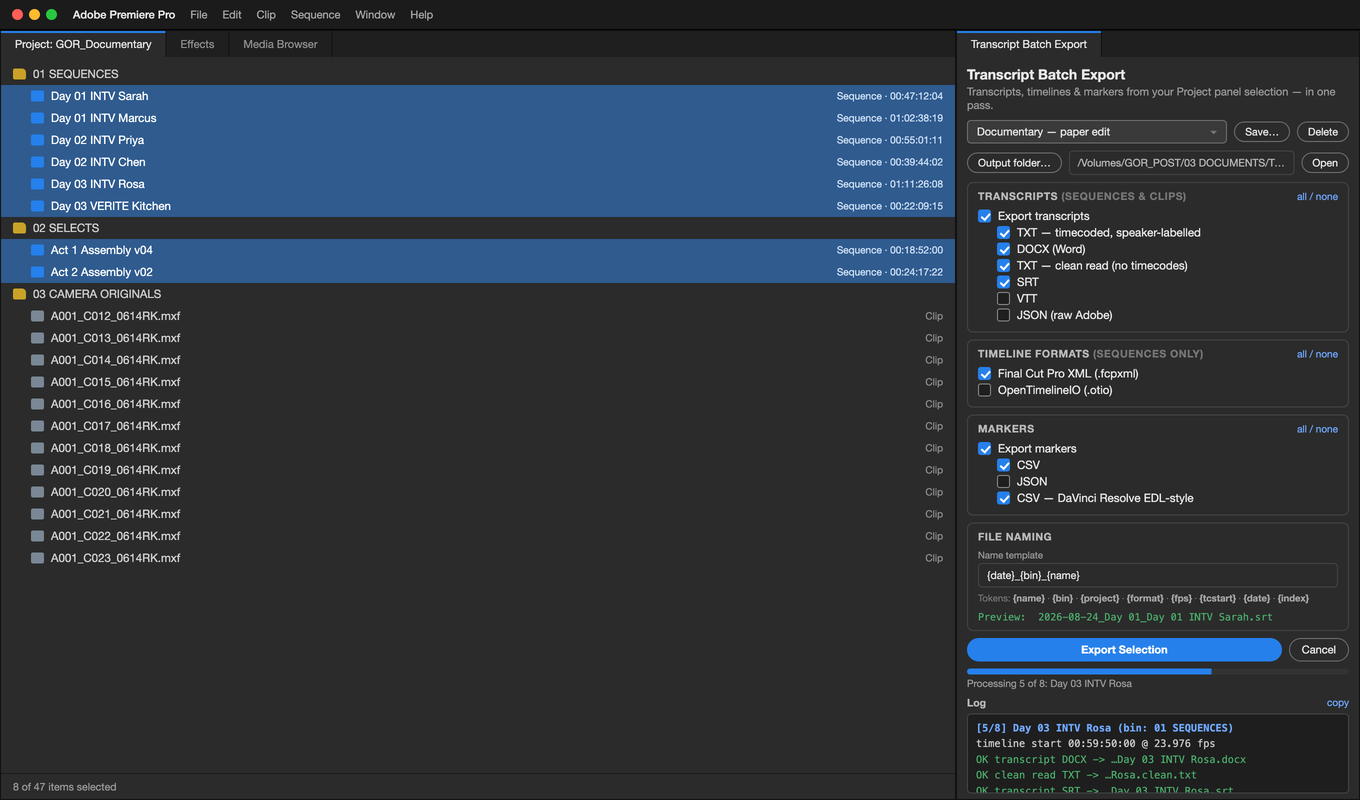
Every transcript out of Premiere Pro, in the format you actually need — timecoded, speaker-labelled Word documents, subtitles, spreadsheets, markers and chapters. Batch is how it scales: select your sequences, tick what you want, run once.
What it does
- Transcripts with real timecode — Timeline/Source TC (HH:MM:SS:FF), zero-based real time (HH:MM:SS), or both. Clips are stamped with the camera's source timecode.
- A Word document you can hand to a producer — timecode column, speaker column, running header, page numbers, real heading styles.
- One document for the whole batch — eight interview days become a single paper-edit document, one sequence per page.
- Speaker tools — rename, exclude, one file per speaker, per-project speaker memory.
- Every format post asks for — TXT, DOCX, clean read, Markdown, CSV, XLSX, SRT, VTT, JSON, stats.
- Timelines and markers too — FCPXML, OTIO, marker CSV/JSON, a DaVinci Resolve-ready marker CSV, and a paste-ready YouTube chapter list.
Get it
Get it on the Adobe Marketplace — 30-day free trial
Transcript Batch Export is on the Adobe Creative Cloud Marketplace — $4.99 a month after a 30-day free trial, cancel any time, installed and updated through the Creative Cloud desktop app. Requires Premiere Pro 25.6 or later on macOS or Windows.
No account, no telemetry, no internet connection: the plugin runs entirely on your machine and your media never leaves it.
Documentation
Support
Email pranaynichani@gmail.com — answered by the person who wrote the code. Include your Premiere version, OS, and a copy of the panel log (the copy link above the log).